SMS Opt-In Disclosure
This page documents how users consent to receive transactional SMS messages for account authentication in the Haul mobile application.
Opt-In Process
Users opt in to receive SMS messages during account creation in the Haul mobile app through the following process:
- User downloads the Haul mobile app and begins account creation
- User enters their mobile phone number
- User receives a one-time passcode (OTP) via SMS
- User enters the OTP in the verification screen
- Entering the OTP verifies the phone number and completes opt-in
Message Details
- Brand:
- Haul / Haulwerk
- Message Type:
- Transactional (Account Authentication)
- Use Case:
- One-time passcodes for sign-in and account setup
- Message Frequency:
- One message per login or sign-in attempt
- Cost:
- Msg & data rates may apply
- User Controls:
- Text STOP to cancel
Text HELP for help
Message Examples
OTP Message Example
Your one-time passcode for Haul is [OTP Code]. Please enter this on the verification screen to complete your sign in.
Opt-In Confirmation Example
Haul: You have opted in to receive account authentication SMS messages. Message frequency varies by login activity. Msg & data rates may apply. Reply HELP for help or STOP to cancel.
HELP Message
Haul Account Alerts: For help email us at support@haul.app or visit https://www.haulwerk.com. Msg & data rates may apply. Text STOP to cancel.
STOP Message
You are unsubscribed from Haul Account Alerts. No more messages will be sent.
Opt-In Flow Screenshots
Visual demonstration of the SMS opt-in process within the Haul mobile application.
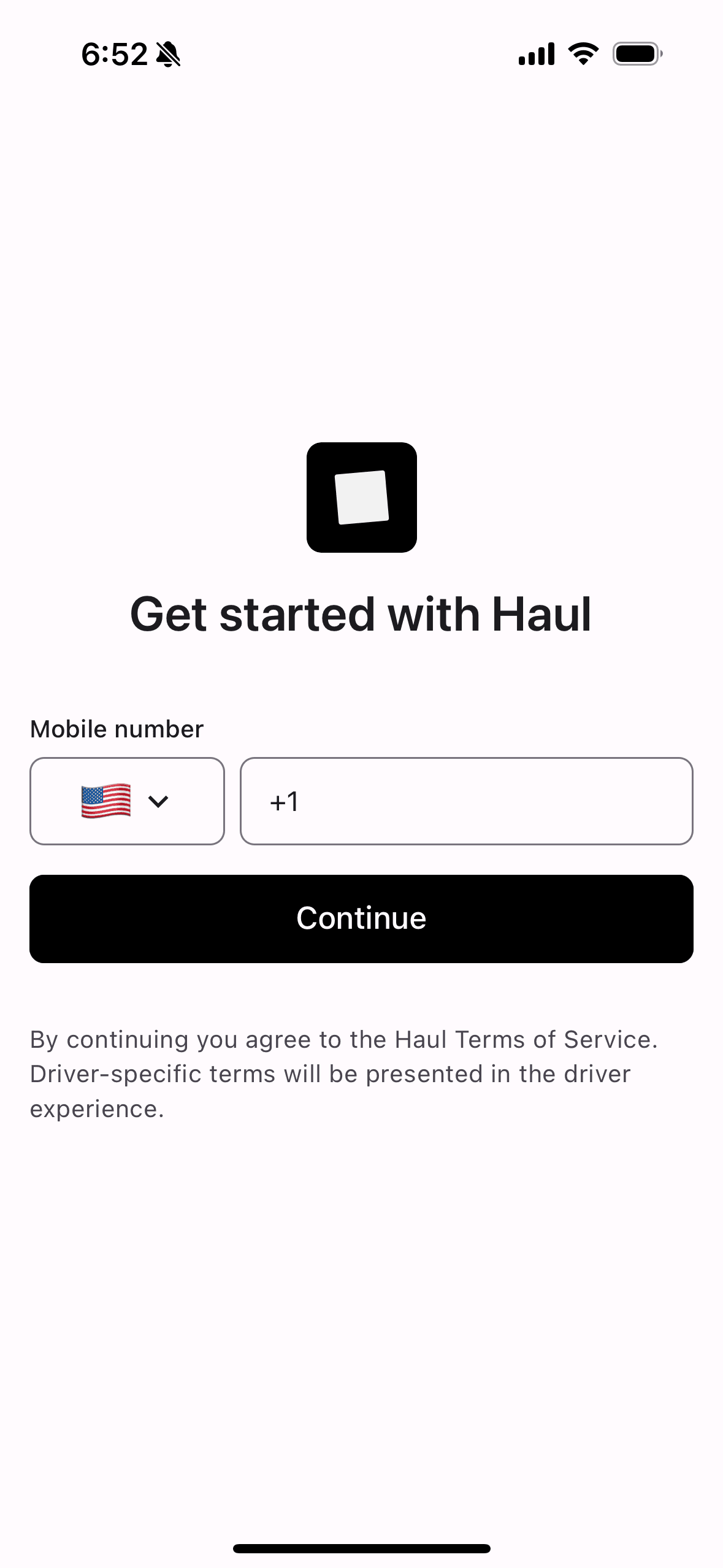
Step 1: Phone Number Entry
User enters their mobile phone number during account creation

Step 2: OTP Verification
User receives and enters the one-time passcode to verify their number and complete opt-in
Legal Information
For complete information about how we collect, use, and protect your information, please review:
This page is provided for SMS compliance and carrier verification purposes.